Account Registration
This guide will walk you through creating an account in the NuxtCloud control panel. The process takes less than 2 minutes.
Step 1: Open the login page
Go to my.nuxt.cloud/billmgr?from=34409 — the control panel login page will open.
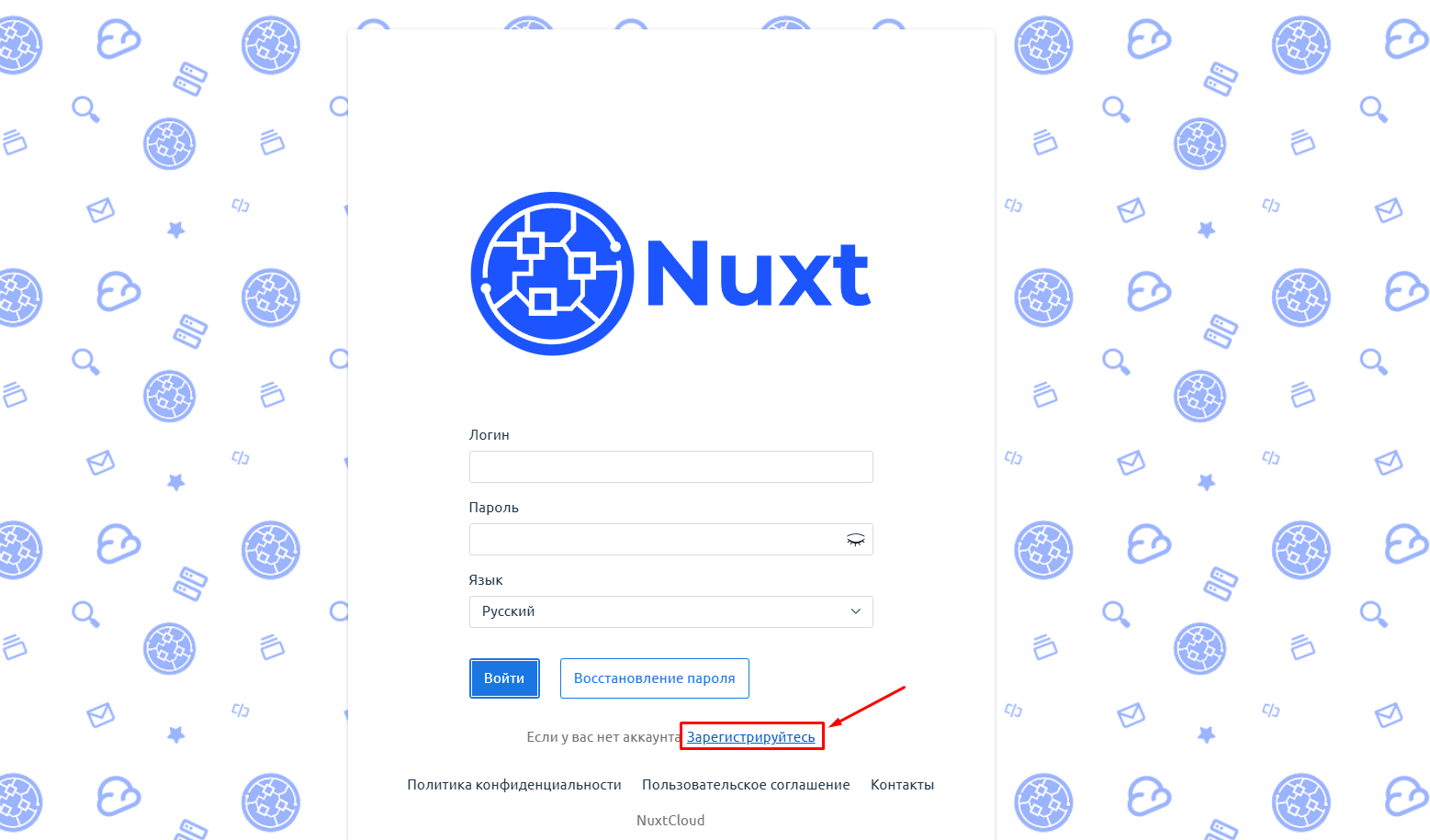
Step 2: Go to registration
On the login page, find and click the "Register" button.
Step 3: Fill in the registration form
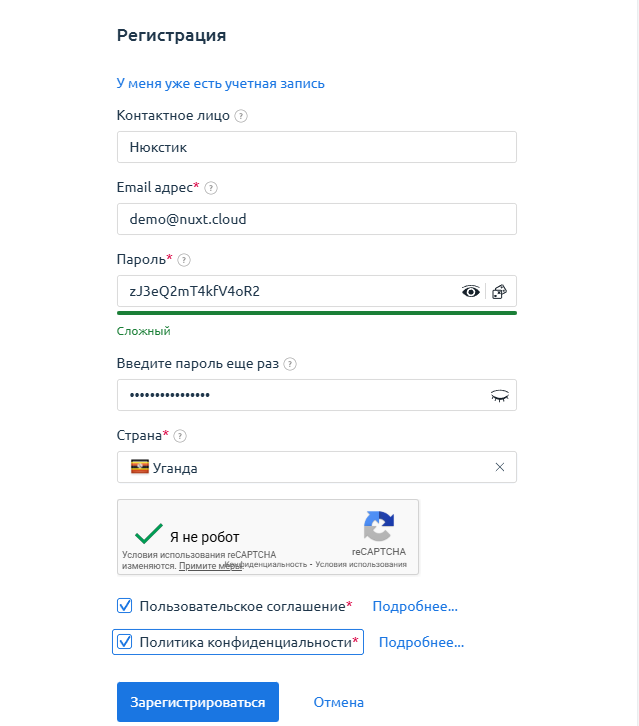
After clicking, a registration form will appear. Fill in the following fields:
| Field | Description |
|---|---|
| Contact person | Your name or company name |
| Valid email for communication and account login | |
| Password | Strong password to protect your account |
| Confirm password | Enter the password again |
| Country | Select your country from the list |
You also need to read and agree to the terms of service.
After filling in all fields, click the "Register" button.
Step 4: Confirm your email
A confirmation email will be sent to the specified address. Open the email and follow the link — you will be automatically redirected to the control panel.
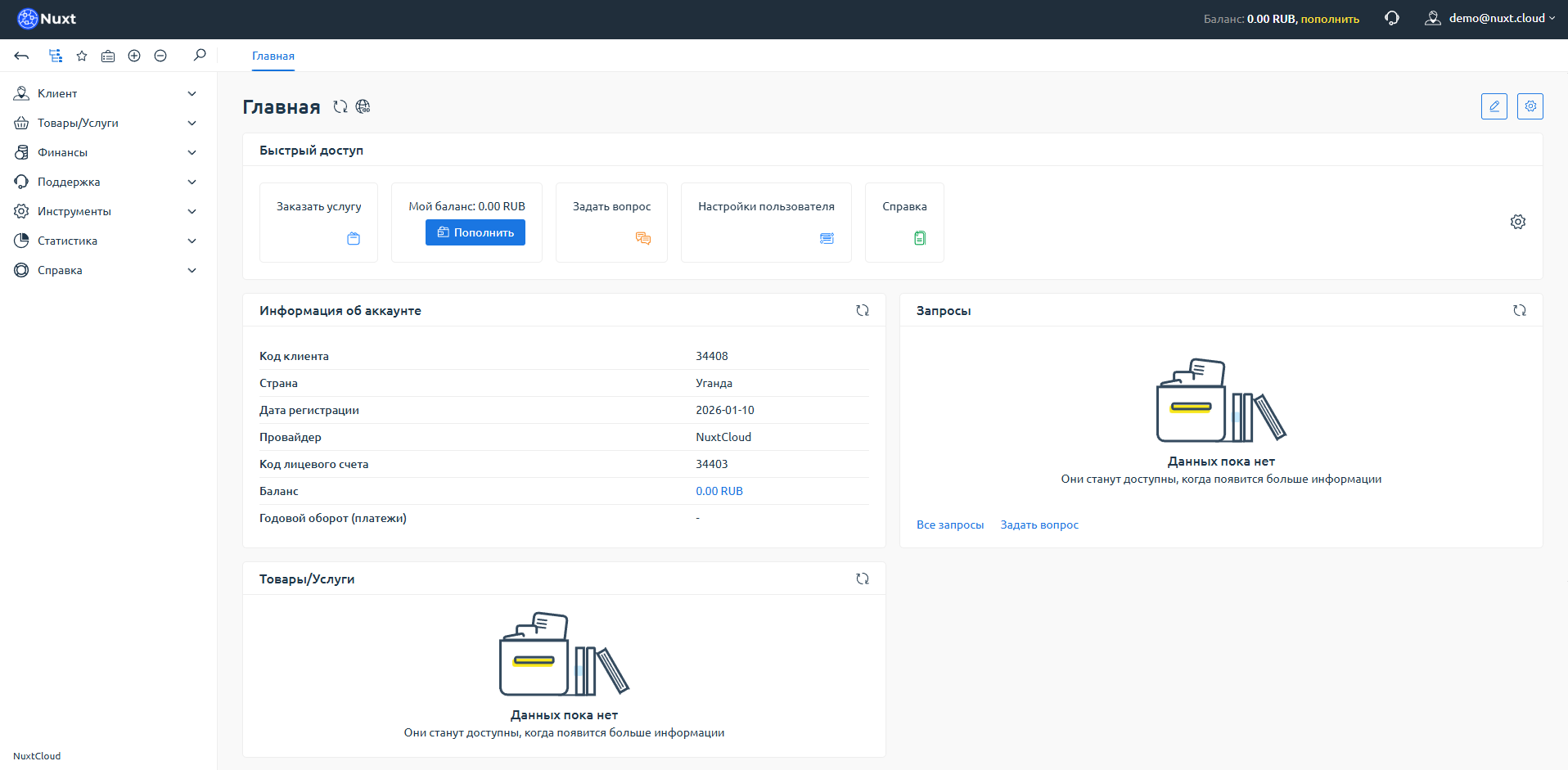
Done!
Congratulations! You have successfully registered in the NuxtCloud control panel and can now start ordering services.